What’s New in Outway: An Improved Mapping Experience
Check out our latest update!
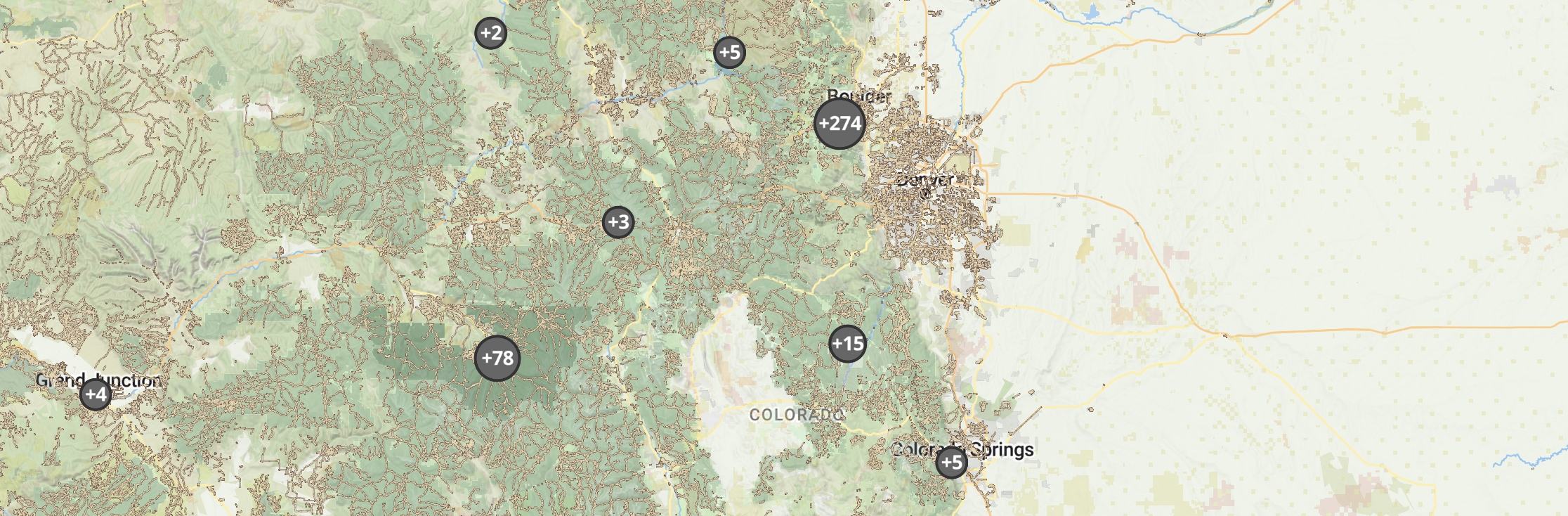
We’re excited to share our latest Outway update, focused on making your mapping experience smoother, clearer, and more powerful. Whether you’re in the field or at your desk, these updates are designed to help you spend less time managing tools and more time caring for your sites.
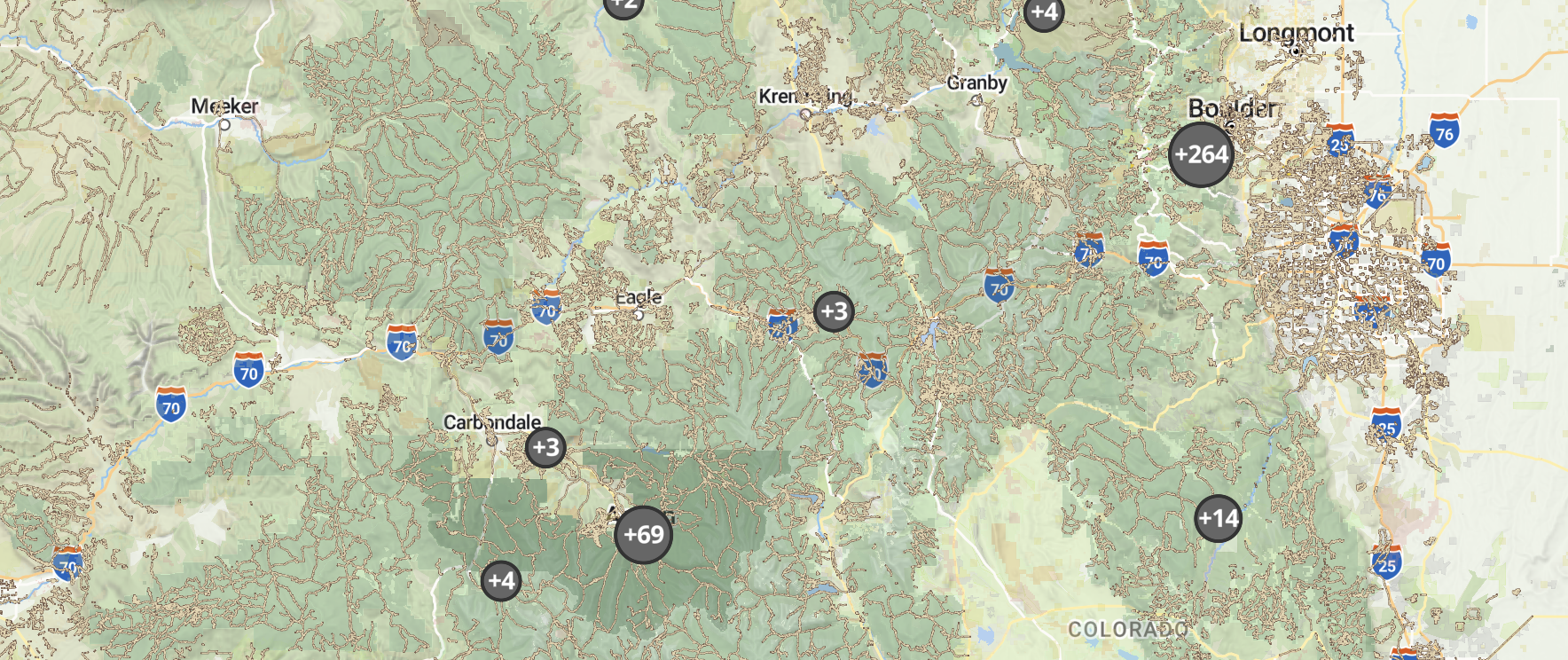
Here’s what’s new:
Updated Map
The map has a refreshed design that makes exploring your sites easier than ever. Smooth panning and zooming feel natural from the start, so you can navigate your sites with confidence.
New Map Tools
We’ve added features to help you see your data more clearly:
- Compass – always know your orientation in the field
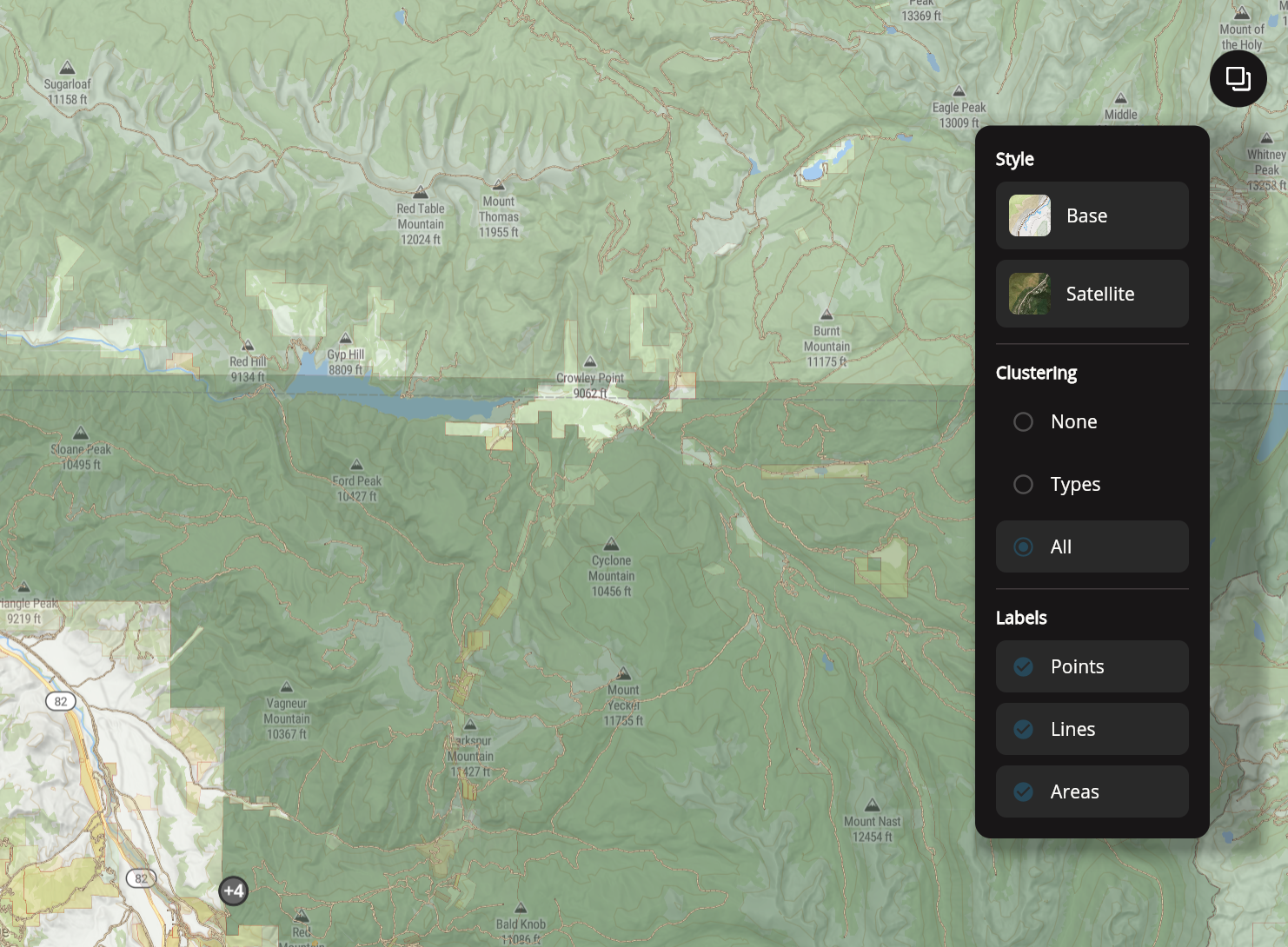
- Location clustering – spot patterns and trends quickly
- Hide or show labels – control how much information you see at once
Improved Drawing Tools
Mapping parcels, lines, and areas is now simpler. Plus, new data fields automatically show acreage or distance based on geometry, making your planning and documentation more precise.
Download Images on Web
You can now copy or save images directly from Outway’s web version, making it easy to share maps and site snapshots with your team or include them in reports.
Bug & Stability Fixes
We’ve made general improvements to keep Outway running reliably, so you can focus on fieldwork and site management without disruptions.
- Navigate your maps more smoothly
- Spot important areas and trends at a glance
- Download images anytime for sharing or reporting
- Rely on a steadier app in the field and office
We can’t wait for you to try it out! These updates are all about making your daily work simpler, faster, and more organized.
Try It Out Now
Update the app or log in on the web to explore the new features:
Stay Connected.
Follow us on Instagram, LinkedIn, and YouTube for tips, tutorials, and early updates on what’s coming next.